Unified Invoicing
From Clock-In to Cash-In: Deliverables and hours automatically flow to the invoice
The Benefit: Eliminate "billable leakage" and ensure 100% accuracy in your client statements.
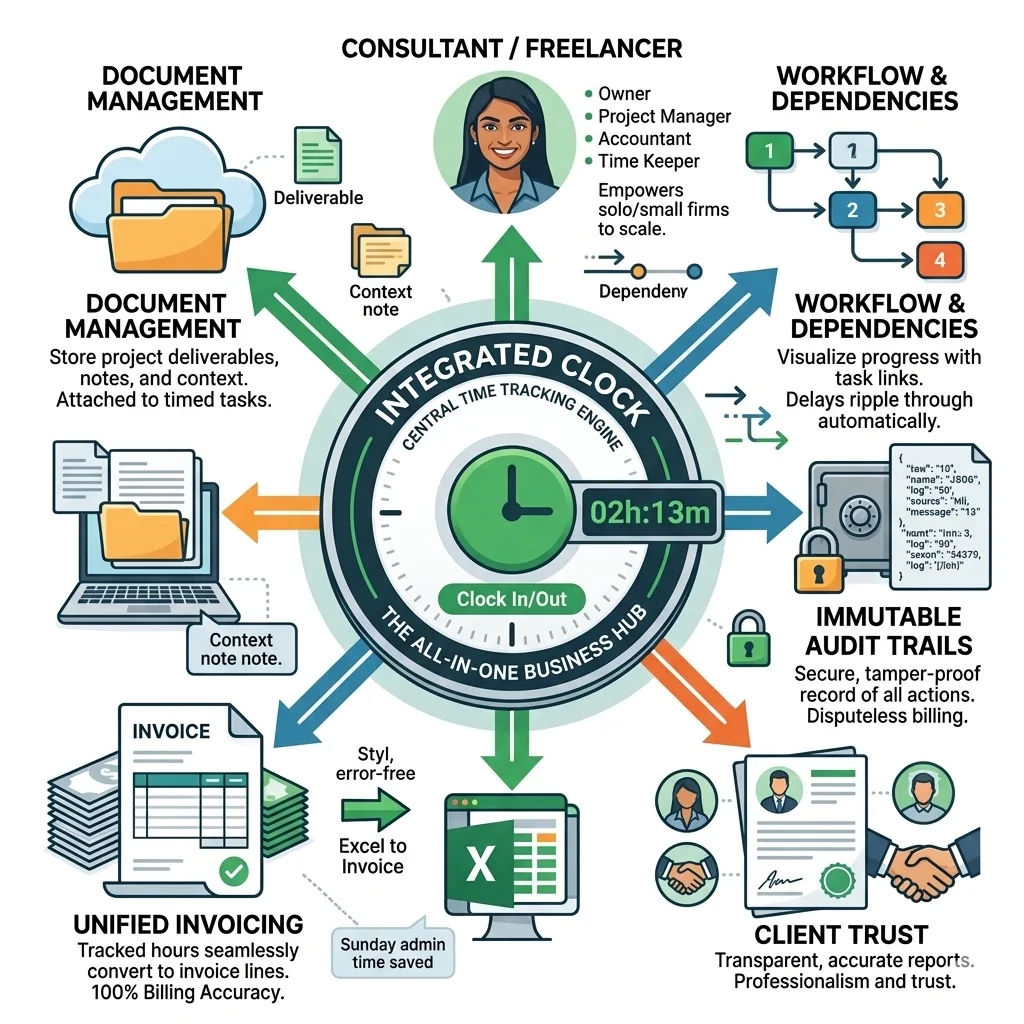
The integrated workflow engine for modern consultants
In the world of high-stakes consulting, every unrecorded minute is a direct hit to your bottom line. TimeCatchApp redefines time management by moving beyond simple stopwatches. It offers an all-in-one productivity ecosystem where time tracking is the heartbeat of your entire business operations—seamlessly connected to invoicing, document management, and professional accountability.
From Clock-In to Cash-In: Deliverables and hours automatically flow to the invoice
The Benefit: Eliminate "billable leakage" and ensure 100% accuracy in your client statements.
Time tracking doesn’t happen in a vacuum. TimeCatchApp allows you to attach project documents and notes directly to the specific tasks you are timing.
The Benefit: Never hunt for a client brief or a deliverable again. Your work and your records live in the same space, providing instant context for every billable hour.
Visualize your progress with a time tracker that understands project hierarchy. Tasks are linked by dependencies, ensuring your workflow stays on track.
The Benefit: Automatically see how delays in one task affect your overall project timeline. It’s not just about how much time you spent; it’s about how much time you have left.
Build ironclad trust with your clients through automated audit logs. Every time entry, adjustment, and project change is recorded in a transparent trail.
The Benefit: Effectively eliminate billing disputes. If a client questions an invoice, you can provide a high-granularity report of the work performed, backed by a secure digital record.
By choosing an integrated time tracking tool like TimeCatchApp, you aren't just getting software; you are implementing a Consulting Management System.
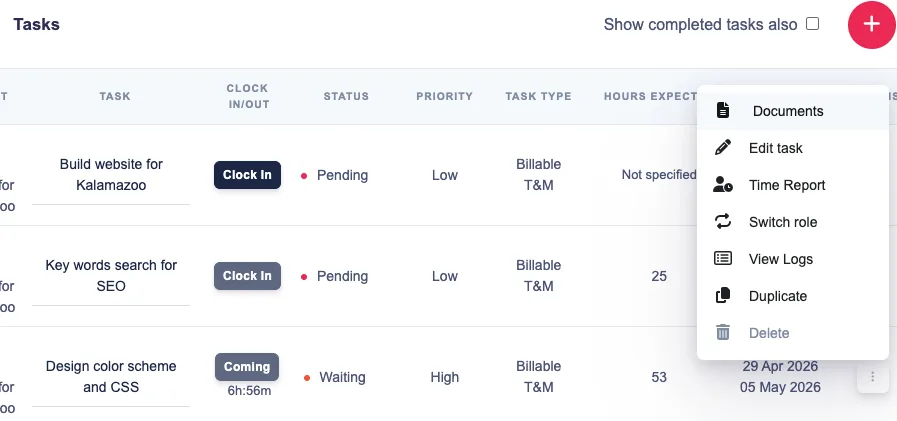
Organize your work by projects. Within projects, organize by tasks. Tasks can be ordered into a heirarchy of tasks, where the completion of one task triggers the start of other tasks. And all of the documentation, notes, and communication are stored together. And time tracking is integrated into the same system.
For a small consulting organization, the primary challenge isn't just tracking time—it's coordinating expertise without losing billable hours to administrative friction.
Here is a typical use case involving a three-person team: a Lead Consultant, a Subject Matter Expert (SME), and a Junior Analyst.
The Lead Consultant wins a contract for a "Market Entry Strategy." Instead of a generic spreadsheet, they set up the project in TimeCatchApp and invite the SME and Analyst.
Workflow Linkage: The Lead sets up a dependency: the SME’s "Strategic Review" task cannot begin until the Analyst’s "Data Collection" task is marked complete.
The Benefit: The SME doesn't have to constantly check in on progress; TimeCatchApp notifies them the moment the "gate" opens, ensuring no billable time is wasted waiting for hand-offs.
While the Analyst is "Clocked In" for data collection, they find a critical industry report.
Document Management: They upload the PDF directly to that specific task in TimeCatchApp.
The Benefit: When the SME starts their task later, the report is already pinned to the workflow. They don't have to dig through email chains or Slack channels to find the context they need to start billing.
As the project progresses, the Lead Consultant checks the Project Time Report. They see the Analyst has used 80% of their budgeted hours, but the task is only 50% complete.
The Benefit: Because the time tracking is live and integrated, the Lead can course-correct immediately—either by re-scoping or coaching the Analyst—before the month-end invoice reveals a massive budget overrun.
At the end of the month, the organization needs to bill the client for all three members' time at different rates.
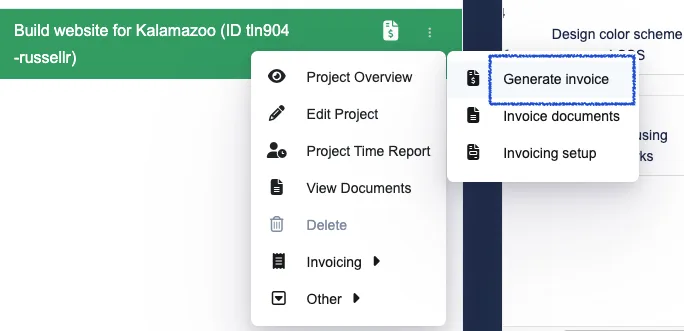
Unified Invoicing: The Lead generates one invoice. TimeCatchApp pulls the Analyst’s 20 hours, the SME’s 5 hours, and the Lead’s 2 hours into a single professional PDF.
The Benefit: What used to take a whole Sunday of manual data entry now takes three clicks.
The client is surprised by the SME's high hourly rate and asks for more detail on what was actually done.
Audit Trail: The Lead provides the Audit Log for the project, showing exactly when the SME accessed the documents, the notes they left, and the specific timestamps of their work.
The Benefit: The dispute is settled instantly. The digital paper trail proves the value provided, preserving the client relationship and ensuring the organization gets paid in full.
These are common ways consultants, freelancers, and small teams can benefit from an integrated time tracking tool to bring more structure, consistency, and transparency to daily work, saving you time and energy.
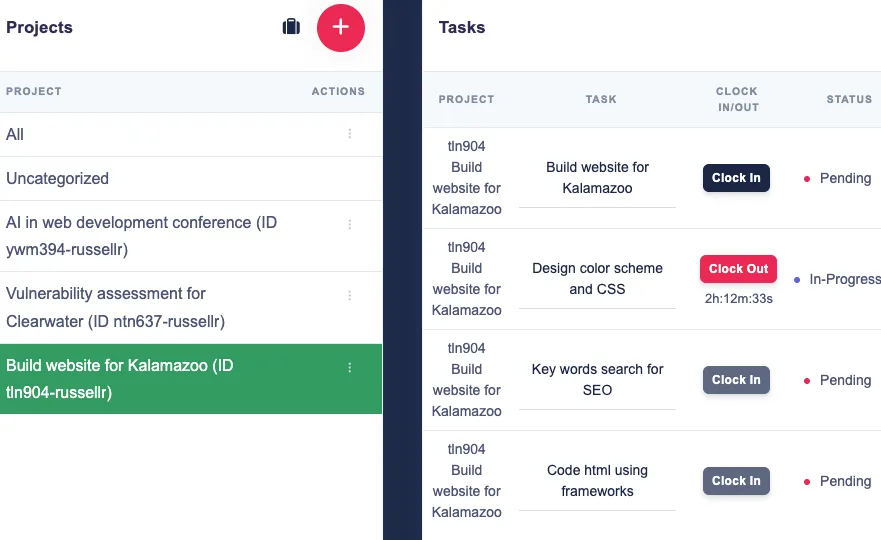
Create a new project, and start immediately. You can always add more information as the project goes on.
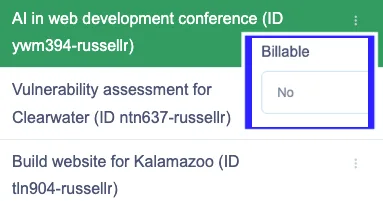
Nonbillable is always available, but you will not be able to invoice customers.
Billable allows customer invoicing. It will start with a generic role so that you can immediately start tracking your time. Hourly rate is set to 0. Be sure to adjust it before the first invoice. Rates can be changed for specific date ranges.
The timer will keep track of the hours for you. At the end of the period, simply reset it for the next time period. You will always know how many more hours you have available this week.

In the invoice setup, add the invoiceable activities: time & materials, deliverables, or units.
Billable tasks will be assigned to the invoiceable activities. T & M will always show up on the invoice in real-time. Deliverables and units will show up once those tasks are marked complete.
The benefit: You get the revenue you earned; no need for meetings, writing notes of accomplishments, no disputes, and no double billing ever. All take care of for you.
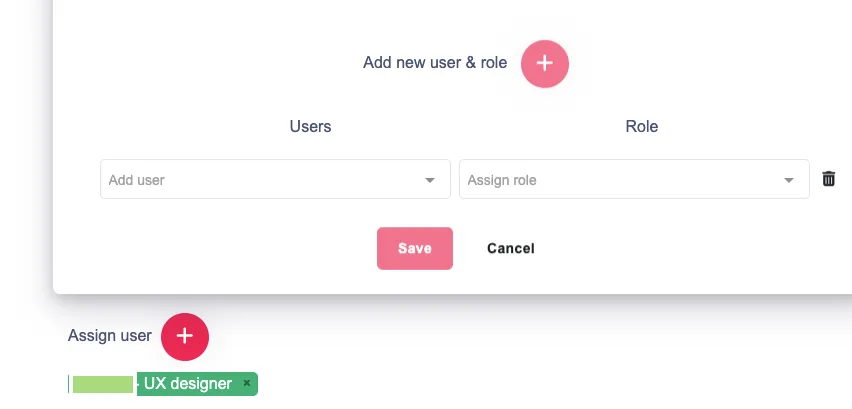
Small teams frequently collaborate on shared responsibilities. Ownership, timing, and progress are clarified by workflow task management software, allowing the team to focus on completing work rather than requesting updates.
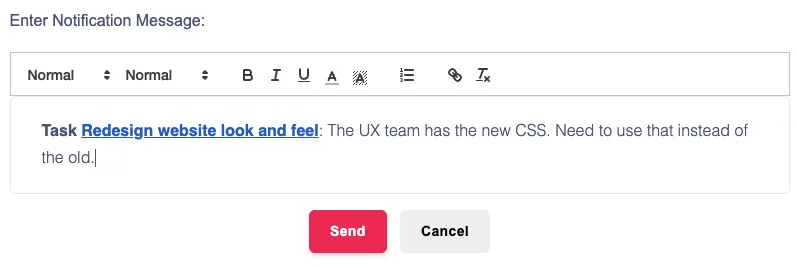
With the built-in notification system, all decisions and changes are tracked and stored with the document. Keeps everyone informed, no information is lost, and take you do not waste time managing information.
With service businesses the work must frequently be monitored for invoicing relevance and completion. Through a more robust business workflow management software system, teams can more effectively connect execution to billing accuracy.
With the integrated time tracking, it is all handled by the system, so that you can focus on growing your business, not entering and re-entering time data.
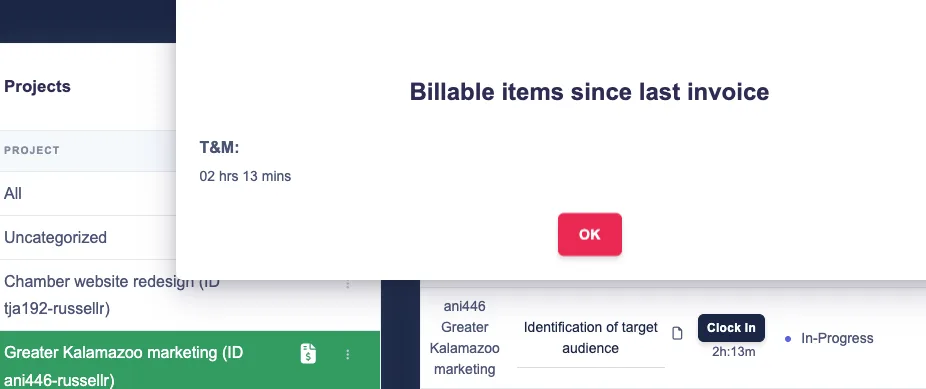
All billable activity, whether time and materials, deliverables, or units, are tracked automatically and will be invoiced at the next invoice date.
Want invoices generated on a schedule? You can do that too!
Tracking the bottlenecks in workflow can be a challenge. Often those bottlenecks occur because part of the team does not know that work is coming up, and do not get timely notifications that work should start.
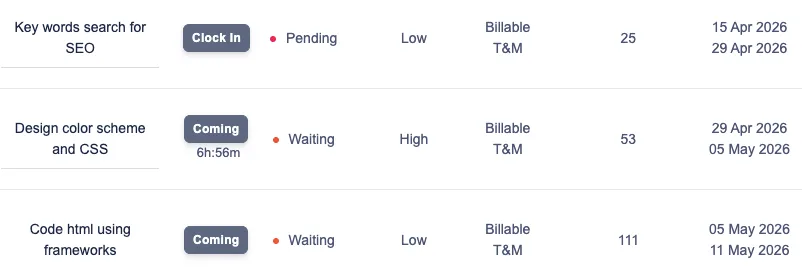
TimeCatchApp has "upcoming" tasks with expected start dates. These tasks activate when ready. And users get notifications, both within the app and via email, alert the user to when the task should start and when it is due.
Lost context and files: This is a major problem for solo consultants, fortunate 500 organizations, and everyone between. Why doesn't do something about this?
TimeCatchApp has! Files attached to billable task for task level documents, attached to the project for project level files. No need for a separate document storage solution, one that is dissociated from the project, lacking context, with no transparency. Files, note, and project descriptions are all together in one spot, allowing you to find it easily, share it with colleagues and customers, and never worry about it getting lost.
Billing disputes and "lost" hours are problems that cause significant lost revenue, makes for a more stressful work life, and are problems hated by all consulting organizations.
TimeCatchApp solves this with automated invoices that connect directly to the time tracking tool. The integration is the key: Time is assigned to the invoice, no time is forgotten because the system tracks it, no time is billed twice because the system knows where each time slice was invoiced, no deliverable goes uninvoiced because each completed task gets invoiced according to the invoice setup.
Structure works around what matters most, not just what appears first. Better prioritization curbs the tendency to react rather than plan, allowing for improved focus.
Support stronger planning with better visibility into when work should begin and when it needs to be completed.
See what is moving, what is delayed, and where accountability needs to be reinforced at the task level.
Distinguish between work that supports revenue directly and work that supports delivery behind the scenes.
For teams that want tighter visibility into how work is performed alongside task progress, a dedicated time tracking tool can help connect workflow activity with actual hours spent.
Keep more of the work context connected to the work itself so teams can reduce confusion and maintain momentum.
Bring workflow into a broader operating environment that also supports time tracking, documents, and invoicing.
When teams need supporting files, notes, and project materials to stay connected to active tasks, document management software can help keep workflow context more organized and accessible.
For service-based teams, workflow management becomes even more useful when completed work can flow more cleanly into invoicing software that supports billing and financial follow-through.
Clear ownership makes it easier to reduce bottlenecks and keep tasks moving through the right sequence.
Overly complicated setups create friction. Start simple, then refine based on how teams actually work.
Recurring work becomes easier to manage when the same steps, timing, and responsibilities are visible each time. Even outside software, process-flow improvements have long been associated with productivity gains. NIST’s process flow productivity example offers a useful real-world reference point on how better process design can support efficiency.
Both financial awareness and operational visibility can be enhanced by comprehending the nature of the work being executed. Additionally, this invoice automation software guide is available to teams seeking a more comprehensive operational perspective on invoicing efficiency, exceptions, routing, and approvals.
Tasks become easier to manage when the supporting documents and project context stay connected.
Small delays become bigger delivery problems when bottlenecks are not visible early enough.
For service-based teams, workflow management becomes more valuable when it connects to the rest of the work environment professionals already need. Bringing time tracking, document management, and invoicing into one workflow platform creates a more streamlined system that boosts productivity.
Track time spent on work projects clearly with the time tracking tool.
Ensure that project files, notes, and supporting materials are organized using document management software.
Create a cleaner path from completed work to billing with invoicing software.
Organize tasks, priorities, accountability, and communication in one workflow management system.
Consultants, freelancers, and small teams usually do not need heavyweight process software that tend to overcomplicate processes. They need simple workflow management software that is easy to use, clear to manage, and strong enough to support real client work.
That means the right platform should make task flow easier to follow, support priorities and deadlines, improve accountability, fit task-based service delivery, and give teams more visibility into what is happening now.
TimeCatchApp is built around those kinds of needs. That makes it a strong fit for individuals and teams looking for small business workflow management software and workflow task management software without unnecessary complexity. Consultants evaluating how workflow structure, time visibility, and client accountability work together may also find this article on consultant time tracking helpful.
I've tried several time tracking tools and this one stands out above the rest of them! Their interface is easy to use, as well as advanced technical capabilities like invoicing and document management. This tool helps me get my work done seamlessly and stay organized.
Discover how time tracking helps teams stay organized, improve accountability, and manage work more efficiently.
Learn MoreLearn how invoicing software simplifies billing, supports faster payments, and keeps financial workflows moving.
Learn MoreExplore how CRM software strengthens client relationships, centralizes communication, and supports a smoother workflow.
Learn MoreEvery consultant, freelancer, and more, needs to track their time. Time tracking is the first feature of an integrated time tracking tool, but no the only one. The system also needs to integrate other core components of your work environment to make you more productive, need to learn fewer systems, and keep IT spend costs low. That is why TimeCatchApp integrates many features for one low cost.
Click one button to start the time, click another to stop. That is it. After claiming your account, you can start tracking your tie on a project within 1 minute. No need to set up anything, no need to import data, just go. You can always expand into other functions later as you need it.
TimeCatchApp will send you a note asking if you should have checked out. You can set the time that TimeCatchApp will wait. You can either clock out and enter the tie you should have stopped, or you can ignore to keep timing.
Yes, and we recommend that you do.
Our clock out widget always knows, and follows you whereever you are on the app. Just click on it to get the task you are clocked into, or clock out from the widget itself. Easy!